
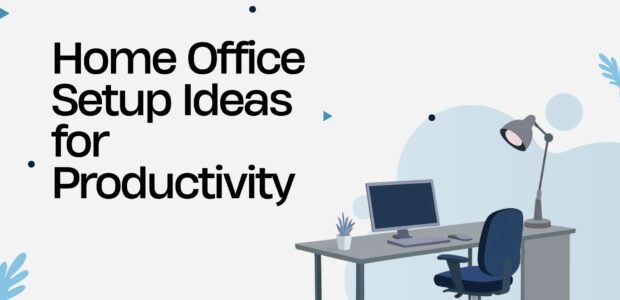
Working from home has become a normal part of life for many professionals, students, and freelancers. A well-designed home office can improve focus, increase productivity, and make long work hours more comfortable. Whether you have a dedicated office or a small corner in your home, the right setup can help you work smarter every day.
Choose a Quiet Workspace
The first step is selecting a location with minimal distractions. A quiet area helps improve concentration and allows you to complete tasks more efficiently.
Tips:
- Pick a room with a door if possible.
- Avoid high-traffic areas.
- Reduce background noise with headphones if needed.
Invest in an Ergonomic Chair
A comfortable chair supports good posture and reduces back and neck pain during long work sessions.
Look for:
- Adjustable height
- Lumbar support
- Comfortable cushioning
- Adjustable armrests
- Breathable material
Use a Spacious Desk
Your desk should provide enough space for your computer, notebook, keyboard, and other essentials without feeling crowded.
Keep Your Desk Organized
- Laptop or desktop
- Monitor
- Keyboard and mouse
- Notebook
- Water bottle
- Small plant
- Desk lamp
Improve Your Lighting
Proper lighting reduces eye strain and keeps you energized.
Best Lighting Options
- Natural sunlight
- LED desk lamp
- Soft white lighting
- Adjustable brightness
Avoid placing your monitor directly in front of a bright window to reduce glare.
Upgrade Your Monitor
A larger monitor or dual-screen setup can improve multitasking and make work easier.
Benefits
- More screen space
- Better organization
- Easier editing
- Increased productivity
Organize Your Cables
Messy cables make a workspace look cluttered.
Cable Management Tips
- Use cable clips
- Hide wires behind the desk
- Label charging cables
- Use a power strip organizer
Add Productivity Accessories
Small accessories can make a big difference.
Helpful Items
- Wireless keyboard
- Wireless mouse
- Laptop stand
- Noise-canceling headphones
- Webcam
- Microphone
- Desk organizer
Keep Your Workspace Clean
A tidy workspace helps reduce stress and distractions.
Daily Routine
- Clear unnecessary papers.
- Wipe your desk.
- Organize supplies.
- Empty trash regularly.
Add Green Plants
Plants make your workspace more inviting and may help improve your mood.
Easy Office Plants
- Snake Plant
- Pothos
- Peace Lily
- Spider Plant
- Succulents
Personalize Your Office
Adding personal touches can make your workspace more enjoyable.
Ideas
- Inspirational quotes
- Family photos
- Wall calendar
- Artwork
- Decorative shelves
Keep decorations simple to avoid distractions.
Maintain Good Internet Speed
Reliable internet is essential for video calls, cloud storage, and online collaboration.
Improve Your Connection
- Place your router nearby.
- Use a wired Ethernet connection when possible.
- Upgrade your internet plan if needed.
- Restart your router regularly.
Reduce Distractions
Creating boundaries between work and personal life helps you stay productive.
Try These Tips
- Turn off unnecessary notifications.
- Use focus apps or timers.
- Set regular working hours.
- Take short breaks every 60–90 minutes.
Essential Home Office Checklist
- ✔ Comfortable ergonomic chair
- ✔ Spacious desk
- ✔ Fast internet connection
- ✔ Large monitor
- ✔ Adjustable lighting
- ✔ Keyboard and mouse
- ✔ Cable organizer
- ✔ Notebook and pens
- ✔ Desk organizer
- ✔ Indoor plant
- ✔ Water bottle
- ✔ Headphones
Benefits of a Well-Designed Home Office
A productive home office offers several advantages:
- Better concentration
- Increased efficiency
- Improved posture
- Less stress
- More organized workspace
- Greater comfort during long work sessions
- Better work-life balance
Conclusion
A productive home office doesn’t have to be expensive. By choosing a comfortable chair, organizing your workspace, improving lighting, maintaining reliable internet, and reducing distractions, you can create an environment that supports focus and efficiency. Even small improvements can make a significant difference in your daily productivity and overall work experience.