
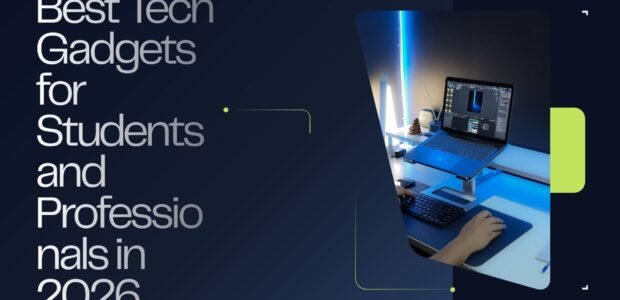
Technology plays an important role in modern education and professional life. From laptops and tablets to headphones, power banks, and productivity accessories, the right gadgets can make studying and working easier and more organized. Current 2026 back-to-school guides continue to highlight laptops, tablets, headphones, monitors, storage, and portable accessories as useful technology for students.
1. Laptops
A laptop remains one of the most important devices for both students and professionals. Students can use laptops for research, assignments, presentations, online classes, programming, and communication. Professionals can use them for office applications, video meetings, business projects, design, and remote work.
When choosing a laptop, consider:
- Processor performance
- RAM
- SSD storage
- Battery life
- Screen quality
- Weight and portability
- Available ports
- Operating system
- Price and warranty
For general student work, a lightweight laptop with good battery life can be more useful than an expensive high-performance machine.
2. Tablets
Tablets are useful for reading, taking notes, watching lectures, browsing the internet, and accessing educational apps. With a compatible stylus, a tablet can also become a convenient digital notebook.
Professionals can use tablets for presentations, reviewing documents, email, travel, and quick work away from their main computer.
A tablet is especially useful for people who value portability and don’t want to carry a heavier laptop everywhere.
3. Noise-Canceling Headphones
Noise-canceling headphones can be helpful when studying or working in busy environments. They can make it easier to concentrate in libraries, cafés, offices, dorms, or during travel.
Important features include:
- Active noise cancellation
- Comfortable design
- Long battery life
- Good microphone quality
- Bluetooth connectivity
- Quick charging
Headphones and earbuds continue to be among the popular technology choices for students in current 2026 buying guides.
4. Portable Power Banks
A power bank is a practical accessory for anyone who spends long hours away from a power outlet.
Students can use one to keep their phone or tablet charged throughout the school day. Professionals can use power banks while traveling, commuting, or working remotely.
Before purchasing one, check its capacity, charging speed, USB-C compatibility, size, and whether it supports the devices you own.
5. External Monitors
An external monitor can improve productivity by giving users additional screen space.
Students can keep research material on one screen while writing an assignment on another. Professionals can use multiple screens for spreadsheets, emails, presentations, design software, communication, and other work.
A monitor can also make a home-office setup feel more organized and professional.
6. Wireless Keyboard and Mouse
A wireless keyboard and mouse can make long study or work sessions more comfortable.
They are especially useful when a laptop is connected to an external monitor. Compact models are also convenient for students who regularly move between home, campus, libraries, and cafés.
Look for comfortable keys, reliable wireless connectivity, good battery life, and a mouse that fits comfortably in your hand.
7. USB-C Hub
Many modern laptops have fewer traditional ports, making a USB-C hub a useful accessory.
Depending on the model, a hub can provide connections for:
- USB accessories
- HDMI monitors
- Memory cards
- Ethernet
- External storage
- Charging
This can be particularly useful for professionals who regularly connect several devices to their laptop.
8. External SSD
An external SSD provides additional storage and can help users keep important files backed up.
Students can store presentations, videos, assignments, projects, and other large files. Professionals can use external SSDs for business documents, photographs, videos, design projects, and backups.
External storage and backup solutions remain popular recommendations in current college technology guides.
9. Laptop Stand
A laptop stand can improve a desk setup by raising the laptop screen and freeing up some desk space.
It can also be useful when pairing a laptop with an external keyboard and mouse. Current student-tech recommendations include adjustable laptop stands as practical accessories for improving workstation setups.
10. Webcam
A good webcam can be useful for online classes, remote interviews, professional meetings, presentations, and video calls.
If your laptop already has a good built-in camera, an external webcam may not be necessary. However, professionals who regularly work remotely may benefit from improved video and microphone quality.
11. Smartwatch or Fitness Tracker
A smartwatch or fitness tracker can provide useful reminders and notifications throughout the day.
Students can use calendars, alarms, timers, and reminders to organize their schedules. Professionals can use notifications to keep track of meetings and appointments without constantly checking their phone.
Fitness tracking can also encourage users to take breaks and stay active during long study or work sessions.
12. Digital Note-Taking Devices
Digital note-taking tools can help students organize lectures and study materials. Some devices allow handwriting with a stylus, while smart notebooks can digitize handwritten notes.
These tools can be especially useful for students who prefer writing notes by hand but want the convenience of digital storage and organization.
13. Portable Monitor
A portable monitor can provide a second screen without requiring a permanent desk setup.
For students, it can be useful for research and assignments. Professionals can use it while traveling or working from temporary locations.
Its lightweight design makes it easier to carry than a traditional desktop monitor.
14. Wireless Earbuds
Wireless earbuds are convenient for commuting, studying, calls, podcasts, online classes, and everyday entertainment.
When choosing earbuds, consider battery life, microphone quality, comfort, noise cancellation, water resistance, and compatibility with your devices.
15. Smart Desk Accessories
Small accessories can make a workspace more organized. Examples include:
- Wireless charging pads
- Cable organizers
- Desk lamps
- Phone stands
- USB chargers
- Desktop speakers
- Adjustable stands
These products may not be essential, but they can make a study or work area more comfortable and efficient.
How to Choose the Right Gadgets
You don’t need to purchase every new gadget. Start by identifying what you actually need.
Students should prioritize affordability, portability, battery life, note-taking, and study productivity.
Professionals may want to focus on performance, connectivity, storage, multitasking, comfort, and reliability.
Most importantly, check your school or workplace requirements before buying. Different courses and professions can require very different hardware.
Tips for Saving Money on Tech
Technology can become expensive quickly, so smart shopping is important.
- Compare prices before buying.
- Look for student discounts when available.
- Consider refurbished products from reputable sellers.
- Don’t pay extra for features you won’t use.
- Check warranty and return policies.
- Buy accessories based on your actual needs.
- Consider older models when they provide enough performance.
For example, current back-to-school technology coverage includes budget-friendly accessories and laptop discounts, showing that useful setups don’t always require premium-priced products.
Final Thoughts
The best tech gadgets for students and professionals are the ones that solve real everyday problems. A reliable laptop, comfortable headphones, portable power bank, external storage, and useful desk accessories can create a practical technology setup without unnecessary spending.
As September 2026 approaches, students and professionals can use the new season as an opportunity to upgrade their workspace and choose technology that supports productivity, organization, communication, and learning.